
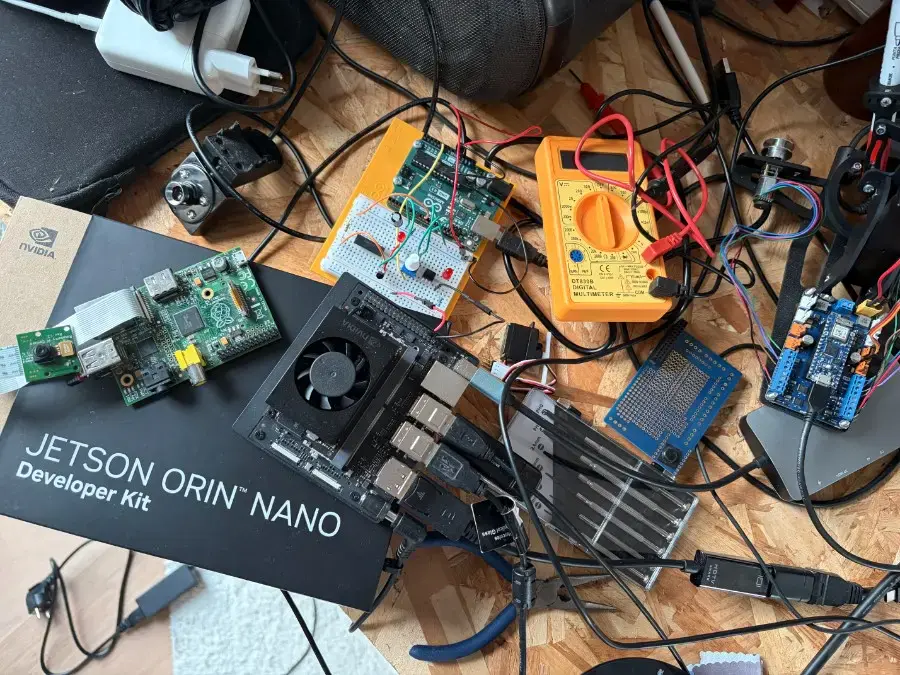
This article documents the missing “brain” layer of my local robot assistant runtime.
In previous posts, I had already built most of the low-level runtime needed for a local voice robot on the NVIDIA Jetson Orin Nano:
- an Isaac ROS / ROS 2 development container,
- a working camera and robot runtime,
- a local wake-word and Whisper speech-to-text pipeline,
- a low-latency Piper TTS node,
- PulseAudio output through a Jabra USB speaker,
- and ROS 2 topics to connect the system.
This article adds the missing piece:
a local LLM between Whisper and Piper.
The goal is to create a complete local voice loop to interact with the Jarvis like robot brain in a touchless way:
 -> Wake word
 -> microphone
 -> VAD
 -> Whisper STT
 -> /asr/text
 -> llm_bridge_streaming
 -> local LLM through Ollama
 -> /tts/say
 -> Piper TTS
 -> Jabra speaker
This builds directly on these previous posts:
- Install a Local AI Runtime container on Jetson Orin Nano with Isaac ROS
- Running Piper TTS on NVIDIA Jetson Orin Nano with Low Latency
- ROS 2 Architecture Patterns That Scale
- Real-Time Linux for Robotics
The end result is a fully local voice-to-voice robot brain running on the Jetson Orin Nano Super.
No cloud API is required for the interaction loop.
Final Architecture
The system is split between the Jetson host and the Isaac ROS container.
The host runs:
- the wake-word Python script,
- Whisper HTTP server,
- Ollama,
- the local LLM.
The container runs:
- ROS 2,
- the LLM bridge node,
- Piper TTS,
- the robot runtime.
The final architecture looks like this:
┌──────────────────────────────────────────────────────────────┐
│ Jetson Orin Nano Super host                                  │
│                                                              │
│  ┌────────────────────┐       ┌───────────────────────────┐  │
│  │ Wake word + VAD    │       │ whisper-server             │  │
│  │ whisper_wake...py  │──────▶│ 127.0.0.1:8080/inference   │  │
│  └─────────┬──────────┘       └───────────────────────────┘  │
│            │                                                 │
│            │ publishes ROS 2 std_msgs/String                 │
│            ▼                                                 │
│        /asr/text                                             │
│                                                              │
│  ┌────────────────────┐                                      │
│  │ Ollama             │                                      │
│  │ llama3.2:3b        │                                      │
│  │ 127.0.0.1:11434    │                                      │
│  └─────────▲──────────┘                                      │
│            │                                                 │
└────────────┼─────────────────────────────────────────────────┘
             │ host networking
             ▼
┌──────────────────────────────────────────────────────────────┐
│ Isaac ROS / ROS 2 container                                  │
│                                                              │
│  ┌────────────────────────────┐                              │
│  │ llm_bridge_streaming       │                              │
│  │ subscribes: /asr/text      │                              │
│  │ calls: Ollama HTTP API     │                              │
│  │ publishes: /tts/say        │                              │
│  └──────────────┬─────────────┘                              │
│                 │                                            │
│                 ▼                                            │
│  ┌────────────────────────────┐                              │
│  │ piper_tts                  │                              │
│  │ subscribes: /tts/say       │                              │
│  │ outputs audio via pacat    │                              │
│  └──────────────┬─────────────┘                              │
│                 │                                            │
│                 ▼                                            │
│          PulseAudio socket -> Jabra speaker                  │
└──────────────────────────────────────────────────────────────┘
The important ROS 2 topics are:
/asr/text
/tts/say
/asr/text carries transcribed user speech.
/tts/say carries the final text that Piper should speak.
Why I Used ROS 2 Topics
The main design goal was to avoid tightly coupling the system.
Whisper should not know which LLM is used.
Piper should not know whether the text came from a human, a test command, a cloud model, or a local model.
The LLM bridge should only translate one event into another:
/asr/text -> local LLM -> /tts/say
This makes each layer testable.
For example, I can test Piper without Whisper or the LLM:
ros2 topic pub –once /tts/say std_msgs/msg/String “{data: ‘Hello from direct Piper test.’}”
I can also test the LLM and Piper without speaking:
ros2 topic pub –once /asr/text std_msgs/msg/String “{data: ‘Say hello and introduce yourself briefly.’}”
That separation was essential during debugging.
Existing Components Before Adding the LLM
Before building the LLM bridge, the system already had:
- a working Isaac ROS container,
- a working ROS 2 workspace,
- a working Jabra USB speaker,
- a working Piper TTS ROS 2 node,
- a working wake-word pipeline,
- a working Whisper HTTP server.
The previous Piper TTS node subscribed to:
/tts/say
and could be tested with:
ros2 topic pub --once /tts/say std_msgs/msg/String "{data: 'Hello from ROS two.'}"
The missing piece was a node that could subscribe to:
/asr/text
call a local LLM, and then publish the answer to:
/tts/say
Starting the Whisper HTTP Server
Whisper runs on the Jetson host through whisper.cpp.
I start the server with:
~/whisper.cpp/build/bin/whisper-server \
  -m ~/whisper.cpp/models/ggml-small.bin \
  -t  4 \
  --host  127.0.0.1 \
  --port  8080
This exposes the local endpoint:
http://127.0.0.1:8080/inference
My wake-word script sends each detected utterance to that endpoint.
The script was already optimized and working well, so I did not want to rewrite it.
Instead, I created a ROS-enabled copy.
Creating a ROS-Enabled Copy of the Wake-Word Script
The original script was:
~/whisper_wake_up_led.py
I created a copy:
cp ~/whisper_wake_up_led.py ~/whisper_wake_up_led_ros.py
chmod  +x ~/whisper_wake_up_led_ros.py
The goal was to keep the original script untouched.
The ROS-enabled version publishes the transcription to:
/asr/text
I added these imports:
import  rclpy
from  rclpy.node  import  Node
from  std_msgs.msg  import  String
At the beginning of main() I initialized a ROS 2 node:
rclpy.init()
ros_node  =  Node('whisper_to_ros_bridge')
asr_pub  =  ros_node.create_publisher(String, '/asr/text', 10)
Then, after receiving a transcription from Whisper, I added:
if  text:
  msg  =  String()
  msg.data =  text
  asr_pub.publish(msg)
  rclpy.spin_once(ros_node, timeout_sec=0.0)
  print(f"[ROS] published /asr/text: {text}", flush=True)
And during shutdown:
ros_node.destroy_node()
rclpy.shutdown()
The host-side voice input chain became:
Wake word -> VAD -> whisper-server -> transcription -> /asr/text
Choosing the Local LLM
I first tested Qwen3 4B with Ollama:
ollama pull qwen3:4b
It installed and ran correctly, but it was not a good match for this real-time voice pipeline.
Even when using:
"think": false
the model still produced long reasoning-style responses in practice.
The robot started saying things like:
Okay, the user asked me to say hello…
Let me think about how to respond…
First, I need to make sure…
That is not acceptable for a spoken robot assistant.
I do not want to hide the reasoning after the fact.
I want the model not to produce it in the first place.
So I removed Qwen from the final design and switched to:
llama3.2:3b
I installed it with:
ollama pull llama3.2:3b
This was much more appropriate for the project:
- small enough for Jetson Orin Nano,
- fast enough for short spoken replies,
- no reasoning leakage,
- predictable output,
- good enough for a first local robot brain.
Starting Ollama
Ollama runs on the Jetson host:
ollama serve
I tested the model with:
curl http://127.0.0.1:11434/api/chat -d  '{
 "model": "llama3.2:3b",
 "messages": [
 { "role": "system", "content": "You are a spoken robot assistant. Always reply in English. Use one short sentence only. Output only the final answer." },
 { "role": "user", "content": "Say hello." }
 ],
 "stream": false
}'
The expected output should be a short direct response.
For example:
Hello!
No chain of thought.
No “let me think”.
No long explanation.
Creating the ROS 2 LLM Bridge
The bridge node is called:
llm_bridge_streaming
It lives in:
~/ros2_ws/src/robot_assistant/robot_assistant/llm_bridge_streaming.py
Its job is simple:
/asr/text -> Ollama -> /tts/say
The bridge subscribes to:
self.sub = self.create_subscription(String, self.asr_topic, self.on_asr_text, 10)
It publishes to:
self.tts_pub = self.create_publisher(String, self.tts_topic, 10)
The Ollama payload uses streaming:
payload  = {
  "model": self.model,
  "messages": [
 {"role": "system", "content": self.system_prompt},
 {"role": "user", "content": user_text},
 ],
  "stream": True,
  "keep_alive": self.keep_alive,
}
The system prompt is intentionally strict:
You are a spoken robot assistant.
Always reply in English.
Use one short sentence only.
Output only the final answer.
Do not reveal reasoning.
Do not think aloud.
I keep the LLM in English because my current Whisper setup returns English text, even when I speak French.
That gives a consistent internal pipeline:
Whisper output: English
LLM input: English
LLM output: English
Piper voice: English
Why the Bridge Streams
Waiting for the complete LLM answer before speaking creates a bad user experience.
A spoken robot should not behave like this:
Human speaks
…
Robot waits
…
LLM finishes
…
TTS starts
It should behave more like this:
Human speaks
…
LLM starts generating
…
TTS starts speaking the first useful chunk
The bridge streams tokens from Ollama, buffers them, and sends short speakable chunks to Piper.
I do not send every token to Piper.
That would create unnatural speech.
Instead, the bridge sends short chunks or completed sentences.
Example:
LLM output:
Hello, I am your robot assistant and I am ready to help.
TTS chunks:
Hello, I am your robot assistant
and I am ready to help.
This improves perceived latency while keeping the speech understandable.
Registering the Node in setup.py
The package already had a setup.py at:
~/ros2_ws/src/robot_assistant/setup.py
I added the bridge to the console_scripts list:
entry_points={
  'console_scripts': [
  'router = robot_assistant.router_node:main',
  'chat_stub = robot_assistant.chat_stub_node:main',
  'vlm_stub = robot_assistant.vlm_stub_node:main',
  'orchestrator = robot_assistant.orchestrator_node:main',
  'piper_tts = robot_assistant.piper_tts_node:main',
  'llm_bridge_streaming = robot_assistant.llm_bridge_streaming:main',
 ],
},
Then I rebuilt inside the container:
source /opt/ros/humble/setup.bash
cd /home/admin/ros2_ws
colcon build --symlink-install  --merge-install  --packages-up-to robot_assistant
source /home/admin/ros2_ws/install/setup.bash
I verified the executable:
ros2 pkg executables robot_assistant | grep llm_bridge_streaming
Expected output:
robot_assistant llm_bridge_streaming
Audio Problem: PulseAudio Socket After Reboot
The most annoying part of the setup was audio after reboot.
Previously, Piper used:
/run/user/1000/pulse/native
But after reboot, PulseAudio sometimes exposed:
/tmp/pulse-XXXXXX/native
So I now always check the real PulseAudio socket on the host:
pactl info | grep “Server String”
Example output:
Server String: /tmp/pulse-PKdhtXMmr18n/native
Then I pass this exact socket to Piper.
This was critical.
When Piper was using the wrong PulseAudio socket, the ROS node received /tts/say messages but no audio came out.
Starting Piper TTS
Piper runs inside the ROS 2 container.
First I enter the container:
docker exec -it -u admin isaac_ros_dev-aarch64-container bash
Then I run Piper with the correct PulseAudio socket:
export  AMENT_TRACE_SETUP_FILES=
export  PULSE_SERVER=unix:/tmp/pulse-PKdhtXMmr18n/native
source /opt/ros/humble/setup.bash
source /home/admin/ros2_ws/install/setup.bash
source /home/admin/ros2_ws/bootstrap_container.sh


ros2 run robot_assistant piper_tts --ros-args \
  -p model_path:=/home/admin/ros2_ws/models/piper/en_US-amy-low.onnx \
  -p pulse_server:=unix:/tmp/pulse-PKdhtXMmr18n/native \
  -p pulse_sink:=alsa_output.usb-0b0e_Jabra_SPEAK_410_USB_08C8C2AE4A84x011200-00.analog-stereo \
  -p use_cuda_flag:=true \
  -p max_chars:=120 \
  -p interrupt:=true \
  -p drop_old:=true \
  -p warmup:=false \
  -p length_scale:=0.7 \
  -p pacat_latency_msec:=60 \
  -p pacat_process_time_msec:=30 \
  -p read_chunk_bytes:=2048 \
  -p inter_utterance_silence_ms:=40 \
  -p restart_piper_on_interrupt:=false \
  -p drop_audio_after_interrupt_ms:=150
To test Piper directly:
ros2 topic pub --once /tts/say std_msgs/msg/String "{data: 'Hello from direct Piper test.'}"
If I hear sound, Piper is working.
Starting the LLM Bridge
In a second container terminal:
docker exec -it -u admin isaac_ros_dev-aarch64-container bash
Then:
source /opt/ros/humble/setup.bash
source /home/admin/ros2_ws/install/setup.bash
source /home/admin/ros2_ws/bootstrap_container.sh


ros2 run robot_assistant llm_bridge_streaming --ros-args \
  -p asr_topic:=/asr/text \
  -p tts_topic:=/tts/say \
  -p ollama_url:=http://127.0.0.1:11434/api/chat \
  -p model:=llama3.2:3b \
  -p min_words_before_flush:=6
To test the complete LLM-to-TTS path:
ros2 topic pub --once /asr/text std_msgs/msg/String "{data: 'Say hello and introduce yourself briefly.'}"
The robot should speak a short response.
Full Reboot Procedure
This is the complete procedure I now use after rebooting the Jetson Orin Nano Super.
Terminal 1: Start audio and the Isaac ROS container
On the host:
~/start_isaac_ros_audio.sh
Terminal 2: Check the PulseAudio socket
On the host:
pactl info | grep "Server String"
Example:
Server String: /tmp/pulse-PKdhtXMmr18n/native
Keep this value for Piper.
Terminal 3: Start the Whisper HTTP server
On the host:
~/whisper.cpp/build/bin/whisper-server \
  -m ~/whisper.cpp/models/ggml-small.bin \
  -t  4 \
  --host  127.0.0.1 \
  --port  8080
Terminal 4: Start Ollama
On the host:
ollama serve
Terminal 5: Start Piper
On the host:
docker exec -it -u admin isaac_ros_dev-aarch64-container bash
Inside the container:
export  AMENT_TRACE_SETUP_FILES=
export  PULSE_SERVER=unix:/tmp/pulse-PKdhtXMmr18n/native
source /opt/ros/humble/setup.bash
source /home/admin/ros2_ws/install/setup.bash
source /home/admin/ros2_ws/bootstrap_container.sh


ros2 run robot_assistant piper_tts --ros-args \
  -p model_path:=/home/admin/ros2_ws/models/piper/en_US-amy-low.onnx \
  -p pulse_server:=unix:/tmp/pulse-PKdhtXMmr18n/native \
  -p pulse_sink:=alsa_output.usb-0b0e_Jabra_SPEAK_410_USB_08C8C2AE4A84x011200-00.analog-stereo \
  -p use_cuda_flag:=true \
  -p max_chars:=120 \
  -p interrupt:=true \
  -p drop_old:=true \
  -p warmup:=false \
  -p length_scale:=0.7 \
  -p pacat_latency_msec:=60 \
  -p pacat_process_time_msec:=30 \
  -p read_chunk_bytes:=2048 \
  -p inter_utterance_silence_ms:=40 \
  -p restart_piper_on_interrupt:=false \
  -p drop_audio_after_interrupt_ms:=150
Terminal 6: Start the LLM bridge
On the host:
docker exec -it -u admin isaac_ros_dev-aarch64-container bash
Inside the container:
source /opt/ros/humble/setup.bash
source /home/admin/ros2_ws/install/setup.bash
source /home/admin/ros2_ws/bootstrap_container.sh


ros2 run robot_assistant llm_bridge_streaming --ros-args \
  -p asr_topic:=/asr/text \
  -p tts_topic:=/tts/say \
  -p ollama_url:=http://127.0.0.1:11434/api/chat \
  -p model:=llama3.2:3b \
  -p min_words_before_flush:=6
Terminal 7: Start the wake-word and Whisper ROS bridge
On the host:
source /opt/ros/humble/setup.bash
/home/thomas/whisper_wake_up_led_ros.py
At this point the robot is live.
Debug Checklist
Check ROS topics
Inside the container:
ros2 topic list
Expected:
/asr/text
/tts/say
/parameter_events
/rosout
Check ROS nodes
Inside the container:
ros2 node list
Expected:
/llm_bridge_streaming
/piper_tts
Check ASR messages
ros2 topic echo /asr/text
Check TTS messages
ros2 topic echo /tts/say
Test Piper only
ros2 topic pub --once /tts/say std_msgs/msg/String "{data: 'Hello from direct Piper test.'}"
Test LLM and Piper without Whisper
ros2 topic pub --once /asr/text std_msgs/msg/String "{data: 'Say hello and introduce yourself briefly.'}"
Check Whisper server
On the host:
ps aux | grep whisper-server | grep -v grep
Check Ollama
On the host:
curl http://127.0.0.1:11434/api/version
Check the local LLM
On the host:
curl http://127.0.0.1:11434/api/chat -d  '{
 "model": "llama3.2:3b",
 "messages": [
 { "role": "system", "content": "You are a spoken robot assistant. Always reply in English. Use one short sentence only. Output only the final answer." },
 { "role": "user", "content": "Say hello." }
 ],
 "stream": false
}'
What Worked
The final working stack is:
whisper.cpp server
wake-word Python script
ROS 2 /asr/text
llm_bridge_streaming
Ollama
llama3.2:3b
ROS 2 /tts/say
Piper TTS
PulseAudio
Jabra USB speaker
The best design choice was to keep the contracts simple:
Speech recognition output -> /asr/text
Speech synthesis input -> /tts/say
Everything else can evolve around those two topics.
What Did Not Work
Qwen3 4B was not a good match for this real-time spoken robot loop.
Even when disabling thinking through the API, it still produced long reasoning-style text in my tests.
For a chatbot, that may be acceptable.
For a robot voice loop, it is not.
The robot should not say:
Let me think about how to answer…
It should just answer.
Switching to llama3.2:3b made the system much more usable.
What I Learned
The LLM is not the whole robot brain.
The real robot brain is the architecture around it:
perception -> state -> reasoning -> speech/action
In this article, I only implemented the first usable voice loop:
listen -> transcribe -> reason -> speak
But because it is built on ROS 2 topics, it is now extensible.
The next logical steps are:
- add robot memory,
- inject robot state into the LLM prompt,
- expose ROS 2 actions as tools,
- connect perception topics,
- add behavior arbitration,
- and move from “voice assistant” to “robot executive”.
Final Result
The Jetson Orin Nano Super now runs a fully local voice-to-voice robot brain:
OK ROBOT
-> VAD
-> Whisper
-> /asr/text
-> local LLM
-> /tts/say
-> Piper
-> speaker
It is local. (no wifi, no ethernet, no fiber)
It is modular.
It is debuggable.
And most importantly, it is now connected through ROS 2 in a way that can grow into a real robot control architecture.