
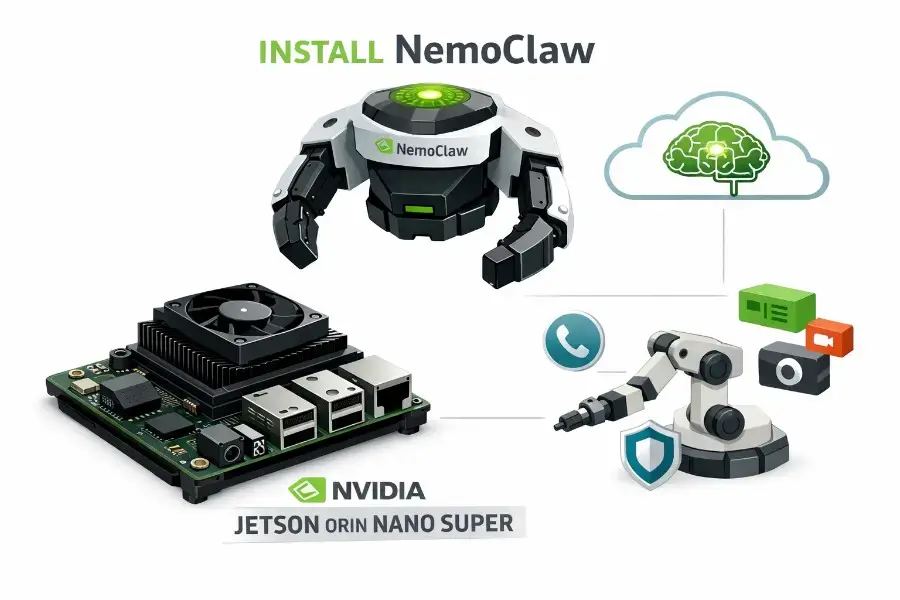
NVIDIA announced NemoClaw on March 16, 2026 as a new, alpha-stage stack for OpenClaw that combines OpenClaw, NVIDIA Nemotron model access, and the newly announced OpenShell runtime behind a one-command install. The key idea is not just “run an agent,” but “run an agent inside a governed runtime” with sandboxing, policy-based network controls, and privacy routing. NVIDIA’s own docs are explicit that NemoClaw is still early preview and not production-ready.
That matters because Jetson users should read the launch correctly: NemoClaw is strategically important for edge AI, but Jetson is not yet the polished hero platform in NVIDIA’s launch materials. At launch, NVIDIA highlighted cloud/on-prem deployments, RTX PCs, DGX Station, and DGX Spark. So running NemoClaw on a Jetson Orin Nano Super today is best described as a technically promising, high-value engineering path rather than a fully productized, first-class deployment flow.
Still, Jetson Orin Nano Super is exactly the kind of hardware that makes NemoClaw interesting. NVIDIA’s Super refresh raised the developer kit to 67 sparse TOPS, 102 GB/s memory bandwidth, and up to 1.7x higher generative AI performance, while NVIDIA also positions the platform as capable of handling models up to the 8B class such as Llama 3.1 8B. JetPack 6.2.2 ships Jetson Linux 36.5 with an Ubuntu 22.04 root filesystem, which aligns well with NemoClaw’s Linux baseline.
What NemoClaw actually is
The first thing to clarify is that NemoClaw is not NVIDIA NeMo. NeMo is NVIDIA’s broader model and workflow ecosystem; NemoClaw is a new open-source stack for OpenClaw. In NVIDIA’s own wording, NemoClaw adds privacy and security controls to OpenClaw, installs OpenShell, and gives users a way to run always-on, self-evolving agents with policy-based guardrails.
Architecturally, NemoClaw is split into a TypeScript plugin and a versioned Python blueprint. The plugin resolves and verifies the blueprint artifact, then executes it as a subprocess; the blueprint in turn drives the OpenShell CLI, provisions the gateway, creates the sandbox, applies policy, and configures inference. That separation is important because it means NemoClaw is really an orchestration and policy layer over OpenClaw plus OpenShell, not just a wrapper script.
OpenShell is the real differentiator. NVIDIA describes it as a safe, private runtime for autonomous agents. Its protection layers include Landlock-based filesystem restrictions, seccomp filtering, network namespace isolation, and a privacy-enforcing proxy. In practice, NemoClaw’s default policy is strict-by-default: the sandbox can only reach explicitly allowed endpoints, writable paths are narrow, many system paths are read-only, and the agent runs as an unprivileged sandbox user with no sudo or setuid escape path.
This is why NemoClaw matters beyond OpenClaw fandom. The state of the art in agent systems is moving away from “prompt + tools + vibes” toward governed execution fabrics. NVIDIA’s OpenShell story is precisely that shift: deny-by-default policies, live policy updates, auditability, and inference routing based on privacy and cost policy rather than whatever the agent decides to do. In parallel, NVIDIA is pushing AI-Q and hybrid agent architectures that combine frontier models for orchestration with open Nemotron models for research and reasoning, which NVIDIA says can cut query cost by more than 50% while maintaining top-tier benchmark performance. NemoClaw fits directly into that broader runtime-governance trend.
Why Jetson Orin Nano Super is a compelling host
Jetson Orin Nano Super is not a good target because it can host giant frontier models locally. It is a good target because it is a small, power-efficient, always-on, physically deployable edge computer with enough local compute to host the runtime, handle device I/O, do lightweight local model work, and keep sensitive context close to sensors, cameras, and actuators. NVIDIA’s recent Jetson content around edge visual AI agents and robotics makes this direction very clear: Jetson is becoming a practical host for multimodal, agent-like systems that reason over live video, alerts, memory, and robotics workflows at the edge.
That maps extremely well to OpenClaw’s own feature surface. OpenClaw already supports multi-channel assistant workflows across WhatsApp, Telegram, Slack, and other channels, along with browser control, canvas, nodes, cron, and skills. Put that on a Jetson with attached cameras, microphones, GPIO devices, USB peripherals, or a robot stack, and you get something much more interesting than a “chatbot on ARM”: you get a deployable edge agent control plane.
The best reason to install NemoClaw on Orin Nano Super is therefore operational locality. The Jetson can host the secure runtime, ingest local files, interface with sensors, maintain persistent agent state, and enforce outbound network policy, while heavy inference is routed either to NVIDIA-hosted endpoints or to a LAN GPU server. In other words, Jetson becomes the sovereign edge brain stem, while bigger GPUs become the cortex. That is a much stronger design than trying to force a tiny dev kit to impersonate a DGX box.
The hard limits you need to understand
Here is the most important technical limit: NemoClaw’s stock model menu is large. The documented nvidia-nim provider includes Nemotron 3 Super 120B, Nemotron Ultra 253B, Nemotron Super 49B v1.5, and Nemotron 3 Nano 30B. Meanwhile, NVIDIA’s own Jetson Orin Nano Super positioning is “up to 8B parameters” locally. That gap is not minor. It means that a Jetson Orin Nano Super is not a realistic box for serving NemoClaw’s default Nemotron lineup on-device.
So if your mental model is “I will install NemoClaw on the Jetson and locally run the default Nemotron stack,” that is the wrong design. The practical design is one of three patterns: Jetson-hosted runtime with NVIDIA cloud inference, Jetson-hosted runtime with a remote NIM server on your LAN, or Jetson-hosted runtime with a very small local smoke-test model such as an Ollama-hosted sub-1B or low-single-digit-B model for fallback, demos, or simple tasks. NVIDIA’s own OpenShell Ollama tutorial uses qwen3.5:0.8b as the smoke-test example for local inference, which is much closer to what a small edge box can handle comfortably.
The second limit is maturity. NemoClaw is alpha. The docs explicitly say not to use it in production. That is not boilerplate here; it matters because the stack is moving quickly, the docs already reference special-case fixes for DGX Spark, and the Jetson path is still closer to “advanced builder territory” than “supported appliance.”
The third limit is Jetson-specific runtime friction. NemoClaw’s installer script detects GPUs via nvidia-smi and uses that to decide whether to install Ollama and which Nemotron Ollama model to pull. On Jetson L4T, NVIDIA’s own docs say nvidia-smi is not available and that tegrastats is the correct monitoring tool. So on Jetson, the installer’s auto-local-model logic can be skipped even when a GPU is present. That is not fatal if you use cloud or remote inference, but it is a real mismatch between the generic installer heuristics and Jetson reality.
The fourth limit is that there is an open OpenShell Jetson/L4T gateway issue as of March 19, 2026. The reported bug shows a kube-proxy startup failure caused by an iptables backend mismatch when running on Jetson/L4T with host networking. The reproduced environment in the issue is tegra-ubuntu/L4T, and a separate NVIDIA Developer Forum thread from March 22, 2026 provides a Jetson-specific community workaround for JetPack below 7.0 using the OpenShell cluster image. In plain English: the Jetson path is real, but you should expect to troubleshoot the gateway layer.
The best Jetson deployment pattern today
If you want the cleanest high-performance setup, run NemoClaw and OpenShell on the Jetson, but keep inference remote. The default NVIDIA endpoint route is the path of least resistance, and NemoClaw documents model switching through openshell inference set --provider nvidia-nim ..., with the NVIDIA API key stored at first run in ~/.nemoclaw/credentials.json.
If you want privacy without cloud dependency, use the Jetson as the secure runtime host and point it to a local NIM server on a desktop GPU or server GPU elsewhere on your LAN. NVIDIA documents a nim-local profile for exactly that purpose, and the switch takes effect without restarting the sandbox. This is, in my view, the strongest serious architecture for NemoClaw on Jetson Orin Nano Super.
If you want a completely self-contained demo or lab setup, you can still use Ollama on the Jetson, but be honest about the model class. Think smoke test, fallback route, or narrow workload, not giant always-on coding agents. OpenShell explicitly supports local inference with Ollama and lets you point the sandbox to a host-side OpenAI-compatible provider using host.openshell.internal.
Installation guide: NemoClaw on Jetson Orin Nano Super
Step 1: Start from the right Jetson baseline
For the Jetson Orin Nano Super developer kit, the clean baseline is JetPack 6.2.2 with Jetson Linux 36.5 and Ubuntu 22.04. NVIDIA’s install docs say Orin Nano dev kit users on JetPack 6.x can use the SD-card path, while fresh units or boards still on JetPack 5.x need a firmware update before using JetPack 6.x media. NVIDIA also documents that the nvidia-jetpack metapackage can install the full JetPack component set once the board is on a compatible L4T release.
Run this first:
cat /etc/nv_tegra_release
uname -a
lsb_release -a
If you need JetPack components installed:
sudo apt update
sudo apt install nvidia-jetpack
Step 2: Make sure you are actually in Super mode
NVIDIA’s Jetson docs show that MAXN_SUPER is only available when the board is flashed with the jetson-orin-nano-devkit-super configuration. On the Jetson Orin Nano 8GB Super configuration, NVIDIA documents 15W, 25W, and MAXN_SUPER modes with IDs 0, 1, and 2 respectively. That said, I still recommend querying your board first rather than assuming mode IDs blindly.
Inspect the current power model:
sudo nvpmodel -q --verbose
If your flashed image exposes the Super profiles, switch to the higher-performance mode:
sudo nvpmodel -m 2
If mode 2 does not exist on your board, stay with whatever Super-capable mode is actually listed by nvpmodel -q --verbose.
Step 3: Give the box enough storage and swap
NemoClaw’s quickstart says the sandbox image is about 2.4 GB compressed and warns that onboarding can trigger the OOM killer on low-memory systems because Docker, k3s, the gateway, and image export buffers all overlap. NVIDIA recommends at least 8 GB of swap if you cannot add memory. On a Jetson, I strongly recommend using NVMe or fast SSD storage and provisioning 16 GB of swap before onboarding.
Example swap setup:
sudo fallocate -l 16G /swapfile
sudo  chmod  600 /swapfile
sudo mkswap /swapfile
sudo swapon /swapfile
echo  '/swapfile none swap sw 0 0' | sudo  tee  -a /etc/fstab
free -h
Step 4: Verify Docker before touching NemoClaw
NemoClaw’s documented primary runtime path on Linux is Docker. The quickstart also requires Ubuntu 22.04+, Node.js 20+, npm 10+, and OpenShell installed. If Docker is half-broken, onboarding will be painful.
Check Docker health:
docker --version
sudo systemctl enable --now docker
sudo docker run --rm hello-world
If Docker is not installed correctly on your Jetson, fix that first before continuing.
Step 5: Monitor the Jetson the right way
Do not rely on nvidia-smi for Jetson diagnostics. NVIDIA’s Jetson docs explicitly say nvidia-smi is not available on L4T and recommend tegrastats instead. This matters both for troubleshooting and because NemoClaw’s installer uses nvidia-smi heuristics for local Ollama setup.
Keep this running in a second terminal while onboarding:
sudo tegrastats
Step 6: Install NemoClaw with the official installer first
NemoClaw’s official quickstart is still the right first move. NVIDIA documents the one-line installer as:
curl -fsSL https://www.nvidia.com/nemoclaw.sh | bash
The docs say the installer will install Node.js if needed, then run the guided onboard wizard to create the sandbox, configure inference, and apply security policies. NemoClaw currently expects a fresh OpenClaw installation.
During onboarding on Jetson, my recommendation is simple: choose the default NVIDIA endpoint route first rather than trying to force fully local inference on day one. The quickstart’s default post-install summary uses the NVIDIA Endpoint API with nvidia/nemotron-3-super-120b-a12b, and NemoClaw documents model switching later without a restart. Get the runtime stable first; optimize inference second.
If the installer finishes but nemoclaw is not found in your shell, NVIDIA’s troubleshooting page says to reload your shell config:
source ~/.bashrc
That PATH issue is specifically called out in the official docs.
Step 7: Understand what nemoclaw onboard is doing
NemoClaw documents nemoclaw onboard as the command that creates the OpenShell gateway, registers inference providers, builds the sandbox image, and creates the sandbox. When using NVIDIA-hosted inference, the first run stores your NVIDIA API key in ~/.nemoclaw/credentials.json.
If you need to rerun setup manually:
nemoclaw onboard
Step 8: Validate the install
NVIDIA’s monitoring docs recommend a very specific validation loop: check status, inspect logs, watch the TUI, connect to the sandbox, and run a direct OpenClaw message. These are the commands I would consider the minimum acceptance test for a Jetson install.
On the host:
nemoclaw status
openshell sandbox list
nemoclaw my-assistant status
nemoclaw my-assistant logs -f
openshell term
Then connect:
nemoclaw my-assistant connect
Inside the sandbox:
openclaw tui
Or, for a deterministic terminal test:
openclaw agent --agent main --local -m "hello" --session-id test
The quickstart documents that exact CLI pattern for long-output testing.
Step 9: Switch inference to something that makes sense on Jetson
For most users, the best first stable route is to keep NVIDIA-hosted inference and only change models if needed. NemoClaw documents runtime model switching with no restart:
openshell inference set  --provider nvidia-nim --model nvidia/nemotron-3-nano-30b-a3b
nemoclaw my-assistant status
That keeps the heavy inference off the Jetson while leaving the agent runtime, credentials, and policy enforcement on-device.
If you have a desktop or server GPU on your LAN, use a remote NIM host instead. NVIDIA documents the nim-local route like this:
export  NIM_API_KEY=<your-nim-api-key>
openshell inference set  --provider nim-local --model nvidia/nemotron-3-super-120b-a12b
nemoclaw my-assistant status
This is the strongest serious-performance option for Jetson deployments.
If you want a tiny local fallback model via Ollama, do it manually on Jetson rather than assuming the installer will detect the GPU correctly. NVIDIA’s OpenShell tutorial documents this flow:
curl  -fsSL https://ollama.com/install.sh | sh
OLLAMA_HOST=0.0.0.0:11434 ollama serve
In another terminal:
ollama run qwen3.5:0.8b
Then create the provider and switch inference:
openshell provider create \
  --name ollama \
  --type openai \
  --credential  OPENAI_API_KEY=empty \
  --config  OPENAI_BASE_URL=http://host.openshell.internal:11434/v1

openshell inference set  --provider ollama --model qwen3.5:0.8b
openshell inference get
That is the official OpenShell pattern for local inference, and it is much better aligned with Orin Nano Super than trying to host a 30B-or-larger model on the board itself.
Step 10: Tune policy instead of poking holes blindly
NemoClaw’s baseline network policy is strict-by-default, and unknown outbound connections are blocked and surfaced in openshell term for operator approval. NemoClaw also exposes policy presets with policy-list and policy-add, while OpenShell supports dynamic policy replacement on a live sandbox via openshell policy set. This is one of the biggest reasons to use the stack at all, so treat policy as a first-class configuration surface, not an annoyance to disable.
Useful commands:
nemoclaw my-assistant policy-list
nemoclaw my-assistant policy-add
openshell term
For a custom live policy file:
openshell policy set custom-policy.yaml
Jetson-specific troubleshooting
If onboarding dies from memory pressure, the official answer is more swap. That warning is already in the quickstart, and on a small edge box it is not theoretical.
If the local-model path never appears, remember why: the installer’s GPU detection checks nvidia-smi, while Jetson uses tegrastats. In that case, just install Ollama manually or stay on cloud/remote inference. That mismatch is annoying, but it does not block NemoClaw as a runtime.
If the gateway fails during startup with iptables or “K8s namespace not ready” errors, you are likely hitting the active Jetson/L4T OpenShell issue. The GitHub issue is open, and the NVIDIA Developer Forum thread documents a community workaround for JetPack below 7.0 that rewrites the OpenShell cluster image to use iptables-legacy inside the container. Treat that workaround as experimental and version-sensitive, not as an official supported fix.
The community workaround, as posted on NVIDIA’s forum, is:
IMAGE_NAME="ghcr.io/nvidia/openshell/cluster:0.0.13"


docker run --entrypoint  sh  --name fix-iptables "$IMAGE_NAME"  -c  '
 update-alternatives --set iptables /usr/sbin/iptables-legacy
 update-alternatives --set ip6tables /usr/sbin/ip6tables-legacy
 ln -sf /usr/sbin/iptables-legacy /usr/sbin/iptables
 ln -sf /usr/sbin/ip6tables-legacy /usr/sbin/ip6tables
 iptables --version
'


docker commit \
  --change  'ENTRYPOINT ["/usr/local/bin/cluster-entrypoint.sh"]' \
 fix-iptables "$IMAGE_NAME"

docker rm fix-iptables
That exact snippet comes from the March 22, 2026 forum thread and is aimed at JetPack < 7.0.
Real use cases for NemoClaw on Jetson Orin Nano Super
The first serious use case is a private, always-on personal or team assistant that lives physically near the data source. OpenClaw already supports messaging channels, voice features, browser tools, canvas, nodes, and cron-like automation. With NemoClaw on Jetson, that assistant gains a governed runtime and can sit next to lab equipment, cameras, or home infrastructure instead of living entirely in a laptop session.
The second is visual AI operations. NVIDIA’s Jetson visual-agent work shows how VLM-based agents on Jetson can analyze live video streams, take natural-language alert definitions such as “is there a fire?”, and send notifications. NemoClaw can serve as the secure orchestration and policy layer around that broader edge application pattern.
The third is robotics supervision. NVIDIA’s ReMEmbR work shows on-device, long-horizon semantic memory for robots using VLMs, vector databases, and an LLM agent that reasons over memory for question answering and action. NemoClaw on Jetson is not ReMEmbR, but it fits the same architecture class: an embodied runtime host that mediates tools, memory, network access, and agent behavior close to the robot.
The fourth is the edge-to-cloud hybrid agent pattern, which is where I think NemoClaw on Jetson has the most long-term potential. The Jetson hosts the secure runtime and local interfaces; the LAN workstation or cloud endpoint hosts the large model. That is operationally sane, cost-aware, privacy-aware, and much closer to where agent infrastructure is headed than the naive “just run everything on-device” story.
Final verdict
NemoClaw on Jetson Orin Nano Super is absolutely worth exploring, but only if you frame it correctly. It is not, today, a “Jetson runs giant Nemotron locally” story. It is a “Jetson runs the secure agent runtime at the edge, close to sensors, files, devices, and humans, while inference is routed intelligently” story. In that role, the Orin Nano Super is one of the most interesting small edge hosts you can use right now.
My practical recommendation is simple: install NemoClaw on the Jetson, keep the default cloud inference first, validate OpenShell and policy behavior, then graduate to a remote NIM box on your LAN if you want privacy and performance. Only use local Ollama on the Jetson for smoke tests, fallback, or narrow workflows. And until NVIDIA promotes Jetson to a first-class NemoClaw target, assume you are operating on the frontier: promising, powerful, and a little sharp around the edges.