
A practical, low-level guide from theory to production on Jetson
Text-to-Speech (TTS) looks simple on paper: you provide text, you get audio.
In practice, especially on embedded hardware, inside containers, and integrated into a ROS 2 system, achieving low latency, stable audio, and reproducible behavior is surprisingly difficult.
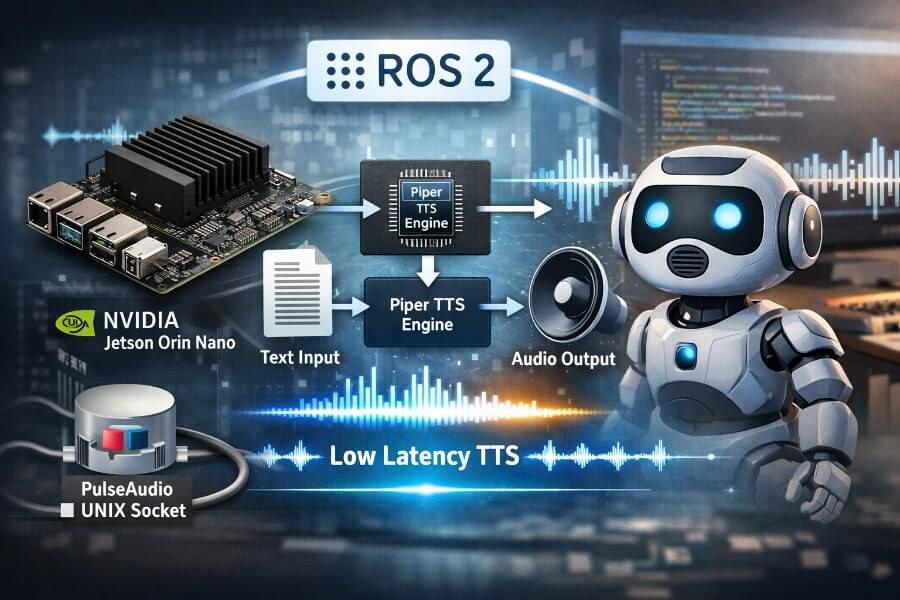
In this article, I explain how we successfully integrated Piper TTS into ROS 2 with sub-second perceived latency, running on an NVIDIA Jetson Orin Nano, inside an Isaac ROS container, using CUDA acceleration and PulseAudio.
This is not just a recipe.
We will:
- explain what “low-latency TTS” really means,
- define the key technical terms,
- walk through the trial-and-error process,
- explain why naïve solutions fail,
- provide complete commands and parameters,
- end with a robust, reboot-safe solution.
A future article will dive deeper into the full ROS audio architecture. Here, we focus on TTS as a standalone, production-grade ROS node.
Introduction to ROS Robot Operating System
The Robot Operating System (ROS) is a powerful meta operating system designed specifically for building and managing autonomous systems that interact with the physical world. As a comprehensive software framework, ROS provides a vast collection of software libraries, tools, and conventions that simplify the development of complex robot applications. Whether you’re working on self-driving cars, autonomous vehicles, or industrial robots, ROS enables your systems to sense their environment, process data, and respond intelligently to real-world situations.
One of the key strengths of ROS is its modularity and extensive community support, which accelerates development and fosters innovation. Developers can leverage a wide range of pre-built packages and drivers, allowing them to focus on the unique aspects of their robotics project rather than reinventing the wheel. This collaborative ecosystem makes ROS the backbone of many cutting-edge robot applications, empowering systems to perceive, interact with, and respond to the dynamic physical world around them.
By integrating ROS into your development workflow, you gain access to a robust platform that supports the creation of scalable, maintainable, and high-performance autonomous systems, enabling your robots to operate effectively in real-world environments.
Overview of Piper TTS
Piper TTS is an advanced text-to-speech system designed to generate natural, expressive speech from written text, supporting multiple languages and a variety of voices. Its sophisticated speech synthesis capabilities make it an ideal choice for developers aiming to enhance the accessibility and user experience of their autonomous systems. Piper TTS allows for fine-tuning of speech parameters such as pitch and rate, and can export audio files for offline playback or sharing, making it versatile for a range of applications.
By integrating Piper TTS, autonomous systems can communicate more effectively with humans, providing spoken feedback, delivering instructions, or responding to queries in real time. This not only improves accessibility for users but also enables more natural and intuitive interactions between humans and machines. With support for multiple languages and voices, Piper TTS empowers developers to build systems that can operate in diverse environments and cater to a global audience, further expanding the capabilities of modern autonomous systems.
Physical AI Model Integration
Integrating physical AI models with real world sensor data is a critical step in building autonomous systems that can truly perceive, understand, and interact with the physical world. By combining AI models with sensor data, such as images, videos, and other multimodal inputs, developers enable their systems to process complex information from their environment and make informed decisions in real time.
This approach is essential for applications operating in complex environments, from self-driving cars navigating busy streets to industrial robots adapting to dynamic factory floors. Physical AI model integration allows autonomous systems to interpret sensor data, recognize spatial relationships, and respond appropriately to new challenges. Leveraging ROS and other software libraries, developers can create flexible and powerful systems that not only process data efficiently but also adapt to changing conditions in the physical world.
By harnessing the synergy between physical AI, real world sensor data, and robust software frameworks, developers can build next-generation autonomous systems that operate, interact, and respond intelligently in a wide range of real-world scenarios.
Setting up the Environment
Establishing a robust environment for physical AI development is crucial for building and testing autonomous systems that interact with the physical world. This process begins with configuring essential software components such as ROS, NVIDIA Omniverse, and other powerful developer tools. Installing the right software libraries ensures that your system can handle the processing and analysis of sensor data efficiently.
A well-structured setup includes preparing the simulation environment, which allows for safe and repeatable testing before deploying to real hardware. Developers must also configure the sensor data processing pipeline, taking into account the computational power required for real-time operation. By carefully planning the environment, considering factors like data throughput, hardware compatibility, and the specific needs of the autonomous system, developers can streamline the development process and accelerate the path from prototype to deployment.
Leveraging simulation tools and robust software frameworks not only enhances development efficiency but also ensures that your physical AI system is ready to operate reliably in real-world environments.
Integrating Piper TTS with Other Components
Integrating Piper TTS with other components, such as ROS and physical AI models, unlocks new possibilities for creating autonomous systems that can communicate and interact naturally with humans. This integration involves configuring Piper TTS to work seamlessly with the broader software stack, ensuring smooth data exchange and real-time responsiveness across all modules.
By combining Piper TTS with physical AI and ROS, developers can build systems that provide spoken feedback, respond to voice commands, and interact with users in a more intuitive way. This is especially valuable in applications like self-driving cars, robotics, and industrial automation, where effective human-machine interaction is essential for safety and efficiency. The ability to process data from the physical world, interpret it using AI models, and deliver clear, natural speech responses enables autonomous systems to operate more intelligently and adaptively.
Through thoughtful integration, Piper TTS becomes a key component in building autonomous systems that not only perceive and act in the physical world but also engage with humans in meaningful, accessible ways.
1. The Goal: What “Low-Latency TTS” Really Means
When people say “low-latency TTS”, they often mean:
- “The model is fast”
- “The audio file is generated quickly”
For robotics, this definition is wrong.
What we actually care about is:
The time between publishing a ROS message and hearing the first audible sound.
That single metric defines perceived responsiveness.
Why this matters in robotics
- A 3–5 second delay feels broken to users.
- Humans are extremely sensitive to response timing.
- Variable latency is worse than consistently slow latency.
- Voice interaction must feel interruptible and alive.
Our goal is not maximum throughput, but minimal and predictable time-to-first-audio.
2. Context: Hardware & Software Environment
Understanding the constraints matters as much as writing code.
Hardware
- NVIDIA Jetson Orin Nano
- ARM64 CPU
- Integrated NVIDIA GPU
- Limited power and thermal budget
Software stack
- Ubuntu (JetPack 6.x)
- Isaac ROS Dev Container
- ROS 2 Humble
- Piper TTS (ONNX)
- PulseAudio
- CUDA via onnxruntime-gpu
Why this is a hard combination
- Containers complicate audio routing
- Jetson requires ARM64-specific CUDA wheels
- CUDA initialization is lazy and expensive
- ROS nodes must behave deterministically
- USB audio devices are not stable across reboots
3. Piper TTS: What It Is and How It Works
3.1 What Piper Actually Does
Piper is a neural text-to-speech engine built on ONNX models.
At runtime, Piper performs:
Text normalization and tokenization
Neural inference (encoder + vocoder)
Generation of raw PCM audio samples
Important detail:
Piper does not play audio.
It outputs raw PCM data (e.g. 16 kHz, signed 16-bit, mono) to stdout.
You must handle:
audio playback,
buffering,
device routing,
latency control.
This separation is powerful, but dangerous if misused.
3.2 Piper CLI vs “Server Mode”
Unlike projects such as whisper.cpp, Piper does not ship with:
an HTTP server,
a gRPC daemon,
a persistent inference service.
The canonical usage model is:
text → stdin → piper → stdout (raw audio)
This means:
every invocation is stateless,
process lifecycle is your responsibility,
latency depends heavily on how you integrate it.
4. Where Latency Comes From (Theory)
Before optimizing anything, we must understand where time is actually lost.
4.1 The Main Sources of Latency
1. Process startup
Starting a Python or native process is slow, especially inside containers.
2. Model loading
ONNX models are large and expensive to initialize.
3. CUDA lazy initialization
The first inference:
loads CUDA kernels,
allocates GPU memory,
builds execution graphs.
This can take seconds, even if later inferences are fast.
4. Audio buffering
PulseAudio defaults prioritize stability, not latency.
5. ROS scheduling
Callbacks, queues, and thread contention add jitter.
4.2 The Worst (But Very Common) Design
Many first implementations look like this:
ROS message
   ↓
start piper process
   ↓
load model
   ↓
initialize CUDA
   ↓
generate full audio
   ↓
start audio player
   ↓
play
This design pays all costs every time.
Result:
4–10 seconds of latency
massive jitter
unusable interaction
5. Key Design Decision: Persistent Processes
The single most important decision we made:
Start Piper once. Start the audio player once. Never restart them unless absolutely necessary.
Why this changes everything
CUDA initializes once
Model stays resident in GPU memory
Audio pipeline stays hot
Latency becomes predictable
This principle dominates all others.
6. High-Level Architecture Overview
Conceptually, the final architecture looks like this:
ROS topic (/tts/say)
        ↓
   TTS ROS Node
        ↓
  (persistent)
     Piper
        ↓  raw PCM stream
  (persistent)
     pacat
        ↓
   PulseAudio
        ↓
   Speaker / USB headset
Key properties:
No temporary files
No process restarts
Streaming audio, not batch audio
Clear ownership of each layer
7. Audio Output: Why PulseAudio + pacat
7.1 Why Not ALSA Directly?
ALSA works, but:
device handling in containers is painful,
USB devices change indices,
routing is brittle.
PulseAudio gives us:
dynamic device management,
per-sink routing,
compatibility with desktop environments.
7.2 Why pacat?
pacat is PulseAudio’s raw audio client.
It:
reads raw PCM from
stdin,supports explicit buffering control,
is lightweight and predictable.
We explicitly configure:
sample rate (
16000 Hz)format (
s16le)channel count (
1)latency and process time
This is mandatory to avoid pops, noise, and excessive buffering.
8. Warmup: The Trick That Changed Everything
8.1 The Problem
Even with persistent processes, the first real sentence still took ~4 seconds.
Why?
CUDA kernels are initialized lazily
ONNX Runtime does heavy work on first inference
8.2 The Solution: Silent, Blocking Warmup
At node startup:
Send a warmup sentence
Let Piper perform a real inference
Wait for first PCM bytes
Discard the audio
Mark the node as ready
Conceptually:
startup
  ↓
send warmup text
  ↓
wait for first PCM bytes
  ↓
discard audio
  ↓
READY
Result:
warmup cost is paid once,
user never hears it,
first real sentence is fast.
9. Interrupt Handling Without Killing Latency
Robots must speak while things happen.
We want:
new messages to interrupt old ones,
no pops or glitches,
no re-cold-start.
What failed
- restarting Piper on every interrupt
- flushing too much audio
- aggressive queue clearing
Final strategy
- Piper stays alive
- pacat stays alive
- only drop already-queued audio
- small, bounded drop window (~150–300 ms)
This preserves responsiveness and stability.
10. CUDA Acceleration: What Actually Works on Jetson
10.1 The Common Trap
Installing ONNX Runtime via pip:
pip install onnxruntime
Gives you:
CPUExecutionProvider
Even if CUDA is present.
--cuda then silently does nothing.
10.2 The Correct Solution on Jetson (ARM64)
We must:
Remove CPU-only ONNX Runtime
Install a prebuilt aarch64 CUDA wheel
Verify providers explicitly
Example:
python3 -c "import onnxruntime as ort; print(ort.get_available_providers())"
Expected output:
['TensorrtExecutionProvider', 'CUDAExecutionProvider', 'CPUExecutionProvider']
Only then does Piper actually use the GPU.
11. Installation: Commands That Actually Work
11.1 System dependencies
sudo apt-get update || true
sudo apt-get install -y \
  pulseaudio-utils \
  alsa-utils
11.2 Install Piper
python3 -m pip install --user piper-tts==1.3.0 pathvalidate
11.3 Install ONNX Runtime GPU (Jetson)
python3 -m pip uninstall -y onnxruntime onnxruntime-gpu

python3 -m pip install \
  https://github.com/ultralytics/assets/releases/download/v0.0.0/onnxruntime_gpu-1.23.0-cp310-cp310-linux_aarch64.whl
Verify:
python3 - << 'PY'
import onnxruntime as ort
print("ORT:", ort.__version__)
print("providers:", ort.get_available_providers())
PY
12. Making It Survive Reboots and Containers
12.1 Audio sinks are not stable
After reboot:
- default sink may change
- USB headsets may disappear
Always pass pulse_sink explicitly.
12.2 Containers are ephemeral
Everything must be:
- installed by a bootstrap script,
- idempotent,
- verified at startup.
That includes:
- Piper
- onnxruntime-gpu
- audio utilities
- environment variables
13. Running the ROS Node (Final Parameters)
Here is the final Python script with comments:
#!/usr/bin/env python3
"""
Piper TTS ROS 2 Node (baseline version)

This node subscribes to a ROS 2 topic (/tts/say) and speaks incoming text using:
  - Piper CLI (TTS inference) producing RAW PCM audio on stdout
  - pacat (PulseAudio client) playing RAW PCM audio to the configured sink

Important design note:
  This "baseline" implementation spawns new processes (piper + pacat) for each chunk.
  It is simple and easy to reason about, but it can be slow at the beginning because:
    - Starting processes costs time
    - Loading the model costs time
    - Initializing CUDA (if enabled) can cost seconds on first use (lazy init)
  In the low-latency "production" version, we keep processes persistent to avoid repeated startup cost.
"""

import os
import re
import shutil
import subprocess
import threading
import time
from dataclasses import dataclass
from queue import Queue, Empty
from typing import Optional, List

import rclpy
from rclpy.node import Node
from std_msgs.msg import String


# -----------------------------
# Utility helpers
# -----------------------------

def _now_ms() -> int:
    """Return current time in milliseconds (useful for latency measurements)."""
    return int(time.time() * 1000)


def _which_or_raise(cmd: str) -> str:
    """
    Resolve an executable in PATH (like the Unix `which` command).
    We fail early if a required command is not installed (piper or pacat).
    """
    p = shutil.which(cmd)
    if not p:
        raise FileNotFoundError(f"Command not found in PATH: {cmd}")
    return p


def _chunk_text(text: str, max_chars: int) -> List[str]:
    """
    Split long text into smaller chunks for better responsiveness.

    Why chunking helps:
      - Many TTS engines (including Piper) begin synthesis only after receiving a full sentence.
      - Very long messages can delay the first spoken words.
      - Chunking the message allows you to begin speaking sooner (perceived latency).

    Implementation:
      - Normalize whitespace.
      - Prefer splitting on sentence punctuation (. ! ? : ;)
      - If chunks are still too large, hard-split to max_chars.
    """
    text = re.sub(r"\s+", " ", text).strip()
    if not text:
        return []

    if len(text) <= max_chars:
        return [text]

    # Split by punctuation boundaries where possible
    parts = re.split(r"(?<=[\.\!\?\:\;])\s+", text)

    chunks: List[str] = []
    buf = ""
    for p in parts:
        p = p.strip()
        if not p:
            continue

        if not buf:
            buf = p
        elif len(buf) + 1 + len(p) <= max_chars:
            buf = buf + " " + p
        else:
            chunks.append(buf)
            buf = p

    if buf:
        chunks.append(buf)

    # If any chunk is still too large, split hard by max_chars
    out: List[str] = []
    for c in chunks:
        if len(c) <= max_chars:
            out.append(c)
        else:
            for i in range(0, len(c), max_chars):
                out.append(c[i:i + max_chars].strip())

    return [c for c in out if c]


# -----------------------------
# Job definition for the worker queue
# -----------------------------

@dataclass
class Job:
    """
    Represents one TTS chunk to speak.

    enqueue_ms is useful for measuring queueing delay (e.g. how long messages wait before speaking).
    """
    text: str
    enqueue_ms: int


# -----------------------------
# ROS 2 Node: PiperTTS
# -----------------------------

class PiperTTS(Node):
    """
    ROS 2 node that listens on /tts/say (std_msgs/String) and speaks text using Piper.

    This baseline version is intentionally simple:
      - Each chunk causes a new Piper process + a new pacat process.
      - Piper produces raw PCM to stdout.
      - pacat consumes that raw PCM and plays it via PulseAudio.

    Downsides:
      - Process creation overhead every time
      - Potentially large "first sentence" latency due to model/CUDA initialization
    """

    def __init__(self):
        super().__init__("piper_tts")

        # ---- ROS Parameters ----
        #
        # We expose most knobs as ROS parameters so we can tune them at runtime
        # without changing code.
        #
        # model_path:
        #   Path to the .onnx Piper model file.
        #
        # piper_cmd:
        #   Name/path of the Piper executable (defaults to "piper" in PATH).
        #
        # use_cuda_flag:
        #   If true, we pass --cuda to Piper (requires onnxruntime-gpu with CUDA provider).
        #
        # max_chars:
        #   Maximum size of each chunk after splitting.
        #
        self.declare_parameter("model_path", "")
        self.declare_parameter("piper_cmd", "piper")
        self.declare_parameter("use_cuda_flag", False)
        self.declare_parameter("max_chars", 120)

        # interrupt:
        #   If true, when a new message arrives we stop any current playback immediately.
        #
        # drop_old:
        #   If true, when a new message arrives we drop any queued chunks that weren't spoken yet.
        #
        self.declare_parameter("interrupt", True)
        self.declare_parameter("drop_old", True)

        # Piper CLI knobs (speech characteristics):
        # - length_scale: speaking rate (smaller -> faster, larger -> slower)
        # - noise_scale / noise_w_scale: voice variability (affects naturalness)
        # - sentence_silence: silence between sentences (in seconds)
        # - no_normalize: disable normalization (can be faster, depends on use case)
        self.declare_parameter("length_scale", 1.0)
        self.declare_parameter("noise_scale", 0.667)
        self.declare_parameter("noise_w_scale", 0.8)
        self.declare_parameter("sentence_silence", 0.0)
        self.declare_parameter("no_normalize", True)

        # PulseAudio / pacat parameters:
        # - pulse_sink: name of PulseAudio sink (output device) to use
        # - pulse_server: pulse server path, e.g. unix:/run/user/1000/pulse/native (common in containers)
        # - pacat_latency_msec, pacat_process_time_msec: buffering knobs (lower -> less latency but more risk of glitches)
        self.declare_parameter("pulse_sink", "")
        self.declare_parameter("pulse_server", "")
        self.declare_parameter("pacat_latency_msec", 20)
        self.declare_parameter("pacat_process_time_msec", 10)

        # Warmup:
        # Many systems pay initialization cost on first run.
        # Warmup runs a short synthesis once at startup so later speech starts faster.
        self.declare_parameter("warmup", True)
        self.declare_parameter("warmup_text", "hello.")

        # ---- Read parameters from ROS 2 ----
        self.model_path = self.get_parameter("model_path").get_parameter_value().string_value
        if not self.model_path:
            raise ValueError("model_path parameter is required")

        self.piper_cmd = self.get_parameter("piper_cmd").get_parameter_value().string_value
        self.piper_bin = _which_or_raise(self.piper_cmd)

        self.use_cuda_flag = self.get_parameter("use_cuda_flag").get_parameter_value().bool_value
        self.max_chars = int(self.get_parameter("max_chars").get_parameter_value().integer_value)

        self.interrupt = self.get_parameter("interrupt").get_parameter_value().bool_value
        self.drop_old = self.get_parameter("drop_old").get_parameter_value().bool_value

        self.length_scale = float(self.get_parameter("length_scale").get_parameter_value().double_value)
        self.noise_scale = float(self.get_parameter("noise_scale").get_parameter_value().double_value)
        self.noise_w_scale = float(self.get_parameter("noise_w_scale").get_parameter_value().double_value)
        self.sentence_silence = float(self.get_parameter("sentence_silence").get_parameter_value().double_value)
        self.no_normalize = self.get_parameter("no_normalize").get_parameter_value().bool_value

        self.pulse_sink = self.get_parameter("pulse_sink").get_parameter_value().string_value
        self.pulse_server = self.get_parameter("pulse_server").get_parameter_value().string_value
        self.pacat_latency = int(self.get_parameter("pacat_latency_msec").get_parameter_value().integer_value)
        self.pacat_proc = int(self.get_parameter("pacat_process_time_msec").get_parameter_value().integer_value)

        self.warmup = self.get_parameter("warmup").get_parameter_value().bool_value
        self.warmup_text = self.get_parameter("warmup_text").get_parameter_value().string_value or "hello."

        # We require pacat for playback
        self.pacat_bin = _which_or_raise("pacat")

        # ---- Worker infrastructure ----
        #
        # We decouple ROS callbacks (which should be fast) from TTS synthesis/playback (which is slow)
        # using a background worker thread + a queue.
        #
        self._q: "Queue[Job]" = Queue()
        self._stop = threading.Event()

        # Track current playback process so we can interrupt it
        self._current_lock = threading.Lock()
        self._current_proc: Optional[subprocess.Popen] = None

        # Subscribe to the input text topic
        self.create_subscription(String, "/tts/say", self.on_say, 10)

        # Log configuration to make debugging easier
        self.get_logger().info(f"Piper model: {self.model_path}")
        self.get_logger().info(
            "Audio out: pacat "
            f"(sink={self.pulse_sink or 'default'}) "
            f"rate=16000Hz ch=1 fmt=s16le "
            f"lat={self.pacat_latency}ms proc={self.pacat_proc}ms"
        )
        self.get_logger().info(
            "Synth: "
            f"length_scale={self.length_scale} "
            f"noise_scale={self.noise_scale} "
            f"noise_w_scale={self.noise_w_scale} "
            f"sentence_silence={self.sentence_silence} "
            f"no_normalize={self.no_normalize}"
        )

        # Start the worker thread
        self._worker = threading.Thread(target=self._run, daemon=True)
        self._worker.start()

        # Optional warmup step
        if self.warmup:
            try:
                t0 = _now_ms()
                self._warmup()
                self.get_logger().info(f"Warmup ok ({_now_ms() - t0}ms)")
            except Exception as e:
                self.get_logger().warn(f"Warmup failed: {repr(e)}")

        self.get_logger().info("PiperTTS ready: subscribe /tts/say")

    def destroy_node(self):
        """
        Called when the node is shutting down.
        We signal the worker to stop and terminate any current playback process.
        """
        self._stop.set()
        try:
            self._interrupt_current()
        except Exception:
            pass
        super().destroy_node()

    def on_say(self, msg: String):
        """
        ROS subscription callback: triggered whenever a message arrives on /tts/say.

        Important:
          Keep this callback fast. Don't do heavy work here.
          We only:
            - optionally drop queued messages
            - optionally interrupt current playback
            - chunk the text
            - enqueue jobs for the background worker
        """
        text = (msg.data or "").strip()
        if not text:
            return

        # Drop any queued but not spoken items if requested
        if self.drop_old:
            while True:
                try:
                    self._q.get_nowait()
                except Empty:
                    break

        # Interrupt current playback if requested
        if self.interrupt:
            self._interrupt_current()

        # Split into chunks for quicker perceived responsiveness
        chunks = _chunk_text(text, self.max_chars)

        # Enqueue chunks for worker
        now = _now_ms()
        for c in chunks:
            self._q.put(Job(text=c, enqueue_ms=now))

    def _interrupt_current(self):
        """
        Stop whatever is currently playing by terminating the pacat process.

        Note:
          In this baseline design, pacat only exists during playback of a chunk.
          Terminating pacat effectively stops audio output quickly.
        """
        with self._current_lock:
            if self._current_proc and self._current_proc.poll() is None:
                try:
                    self._current_proc.terminate()
                except Exception:
                    pass
            self._current_proc = None

    def _env_audio(self) -> dict:
        """
        Build environment variables for subprocesses.

        In container setups, PulseAudio is often accessed through a unix socket,
        so we pass PULSE_SERVER explicitly.

        PULSE_SINK selects a specific output device (e.g., USB headset) instead of "default".
        """
        env = os.environ.copy()
        if self.pulse_server:
            env["PULSE_SERVER"] = self.pulse_server
        if self.pulse_sink:
            env["PULSE_SINK"] = self.pulse_sink
        return env

    def _piper_args(self) -> List[str]:
        """
        Construct the Piper CLI arguments.

        --output-raw:
          Piper writes raw PCM (s16le mono 16kHz by default for many models).
          Raw output is ideal for piping into pacat.

        --cuda (optional):
          Requests CUDAExecutionProvider (requires correct onnxruntime-gpu build).
        """
        args = [
            self.piper_bin,
            "-m", self.model_path,
            "--output-raw",
            "--length-scale", str(self.length_scale),
            "--noise-scale", str(self.noise_scale),
            "--noise-w-scale", str(self.noise_w_scale),
            "--sentence-silence", str(self.sentence_silence),
        ]
        if self.no_normalize:
            args.append("--no-normalize")
        if self.use_cuda_flag:
            args.append("--cuda")
        return args

    def _pacat_args(self) -> List[str]:
        """
        Construct the pacat arguments.

        We explicitly tell pacat:
          --raw: input is raw PCM
          --format=s16le: signed 16-bit little endian
          --channels=1: mono
          --rate=16000: 16kHz sample rate

        latency and process-time tune PulseAudio buffering:
          - Lower values => lower latency but higher risk of underruns/glitches.
          - Higher values => more stable but increased latency.
        """
        return [
            self.pacat_bin,
            "--raw",
            "--format=s16le",
            "--channels=1",
            "--rate=16000",
            f"--latency-msec={self.pacat_latency}",
            f"--process-time-msec={self.pacat_proc}",
        ]

    def _warmup(self):
        """
        Run a quick synthesis at startup.

        WARNING:
          Piper stdout is raw audio bytes, not UTF-8 text.
          Never decode stdout as text.

        We write warmup_text to Piper stdin, then read a small amount of stdout
        to ensure synthesis started.
        """
        piper = subprocess.Popen(
            self._piper_args(),
            stdin=subprocess.PIPE,
            stdout=subprocess.PIPE,
            stderr=subprocess.PIPE,
            env=self._env_audio(),
        )
        assert piper.stdin and piper.stdout

        piper.stdin.write((self.warmup_text.strip() + "\n").encode("utf-8"))
        piper.stdin.close()

        # Read some bytes to trigger model execution (warmup effect)
        _ = piper.stdout.read(8192)

        # Wait for clean exit
        piper.wait(timeout=60)

        if piper.returncode != 0:
            err = b""
            try:
                err = piper.stderr.read() if piper.stderr else b""
            except Exception:
                pass
            raise RuntimeError(
                f"warmup piper rc={piper.returncode}: {err.decode('utf-8', errors='ignore')[-800:]}"
            )

    def _speak_stream(self, text: str) -> int:
        """
        Speak one chunk by streaming Piper output directly into pacat.

        Pipeline:
          piper stdout (raw PCM) -> pacat stdin -> PulseAudio -> speaker

        Returns:
          first_audio_ms (approx) = time to start both processes.
          Note: this baseline value is optimistic; it doesn't measure actual "first audible sample".
        """
        t0 = _now_ms()
        env = self._env_audio()

        # Start Piper (TTS)
        piper = subprocess.Popen(
            self._piper_args(),
            stdin=subprocess.PIPE,
            stdout=subprocess.PIPE,
            stderr=subprocess.PIPE,
            env=env,
        )
        assert piper.stdin and piper.stdout

        # Start pacat (playback) and feed it Piper's stdout
        pacat = subprocess.Popen(
            self._pacat_args(),
            stdin=piper.stdout,
            stdout=subprocess.DEVNULL,
            stderr=subprocess.PIPE,
            env=env,
        )

        # Track current playback process so we can interrupt it
        with self._current_lock:
            self._current_proc = pacat

        # Send the text to Piper via stdin
        piper.stdin.write((text.strip() + "\n").encode("utf-8"))
        piper.stdin.close()

        # Approx: pipeline started once processes launched
        first_audio_ms = _now_ms() - t0

        # Wait for playback to complete
        pacat_rc = pacat.wait()
        piper_rc = piper.wait()

        # Error handling: if piper fails, show stderr tail
        if piper_rc != 0:
            err = b""
            try:
                err = piper.stderr.read() if piper.stderr else b""
            except Exception:
                pass
            raise RuntimeError(
                f"piper failed rc={piper_rc}: {err.decode('utf-8', errors='ignore')[-800:]}"
            )

        # If pacat fails, show its stderr tail
        if pacat_rc != 0:
            perr = b""
            try:
                perr = pacat.stderr.read() if pacat.stderr else b""
            except Exception:
                pass
            raise RuntimeError(
                f"pacat failed rc={pacat_rc}: {perr.decode('utf-8', errors='ignore')[-800:]}"
            )

        return first_audio_ms

    def _run(self):
        """
        Worker thread main loop.

        The worker waits for queued TTS jobs and speaks them sequentially.
        Using a worker thread avoids blocking ROS callbacks.
        """
        while not self._stop.is_set():
            try:
                job = self._q.get(timeout=0.1)
            except Empty:
                continue

            total_t0 = _now_ms()
            try:
                first_audio = self._speak_stream(job.text)
                total = _now_ms() - total_t0
                self.get_logger().info(
                    f"TTS chunk done | first_audio={first_audio}ms total={total}ms | "
                    f"'{job.text[:60]}{'...' if len(job.text) > 60 else ''}'"
                )
            except Exception as e:
                self.get_logger().error(f"TTS worker error: {repr(e)}")
            finally:
                with self._current_lock:
                    self._current_proc = None


def main():
    """
    Standard ROS 2 Python entrypoint.
    We init ROS, create the node, spin, and clean up on shutdown.
    """
    rclpy.init()
    node = None
    try:
        node = PiperTTS()
        rclpy.spin(node)
    except KeyboardInterrupt:
        pass
    finally:
        if node is not None:
            try:
                node.destroy_node()
            except Exception:
                pass
        try:
            rclpy.shutdown()
        except Exception:
            pass


if __name__ == "__main__":
    main()
The command to launch the ROS 2.0 node with the right parameters, of course, you need to adapt it for you (pulse_sink, model_path):
ros2 run robot_assistant piper_tts --ros-args \
  -p model_path:=/home/admin/ros2_ws/models/piper/en_US-amy-low.onnx \
  -p pulse_server:=unix:/run/user/1000/pulse/native \
  -p pulse_sink:=alsa_output.usb-0b0e_Jabra_SPEAK_410_USB_08C8C2AE4A84x011200-00.analog-stereo \
  -p use_cuda_flag:=true \
  -p max_chars:=120 \
  -p interrupt:=true \
  -p drop_old:=true \
  -p warmup:=true \
  -p warmup_text:="This is a warmup sentence that should never be heard." \
  -p pacat_latency_msec:=60 \
  -p pacat_process_time_msec:=30 \
  -p read_chunk_bytes:=2048 \
  -p inter_utterance_silence_ms:=40 \
  -p drop_audio_after_interrupt_ms:=250 \
  -p restart_piper_on_interrupt:=false
Here is the parameters description for you to really understand the optimization applied to avoid latency:
Model and Inference Parameters
model_path
Path to the Piper ONNX model used for speech synthesis.
This file defines the voice, language, and quality level.
“Low” models (e.g.
*-low.onnx) are smaller and typically faster, making them well suited for real-time robotics.
Impact on latency: Very high. Model size directly affects inference speed and memory usage.
use_cuda_flag
Enables GPU acceleration by passing the --cuda flag to Piper.
Requires
onnxruntime-gpuwith a workingCUDAExecutionProvider.Without the correct runtime, this flag is silently ignored.
Impact on performance:
Can significantly reduce inference time, but does not eliminate first-run latency (CUDA initialization is lazy).
Audio Routing (PulseAudio)
pulse_server
Explicitly specifies the PulseAudio server to connect to.
In containerized environments, PulseAudio usually runs on the host.
The container accesses it through a UNIX socket.
Example:
unix:/run/user/1000/pulse/native
Why this matters:
Without this, audio clients inside the container may fail to connect, resulting in no sound without errors.
pulse_sink
Selects the exact PulseAudio output device (sink).
Example: a USB headset or external speaker.
Avoids relying on the “default” sink, which may change after reboot or USB reconnection.
Impact:
Critical for reproducibility and “works-after-reboot” behavior.
Text Handling and Responsiveness
max_chars
Maximum number of characters per speech chunk.
Long messages are split into smaller chunks before synthesis.
Smaller chunks allow speech to start earlier.
Trade-off:
Smaller value → lower perceived latency, more interruptions
Larger value → smoother prosody, but slower start on long messages
Typical range: 80–200 characters
interrupt
If enabled, any new incoming message interrupts the current speech.
Allows “barge-in” behavior.
Essential for interactive robots.
If disabled:
The robot always finishes speaking before responding to new input.
drop_old
If enabled, queued but not yet spoken messages are discarded when a new message arrives.
Prevents outdated speech from being played.
Ensures the robot always speaks the most recent intent.
Recommended for robots: true
Warmup (Cold-Start Mitigation)
warmup
Runs a warmup synthesis when the node starts.
Forces model loading and CUDA initialization early.
Prevents a long delay on the first real sentence.
If disabled:
The first spoken sentence may take several seconds to start.
warmup_text
Text used during the warmup phase.
Should be long enough to trigger real inference.
Audio should be discarded or inaudible.
Purpose:
Pay the expensive initialization cost once, before the robot interacts with users.
Audio Buffering and Latency Control
pacat_latency_msec
Controls the target latency buffer in pacat / PulseAudio.
Lower values → lower latency, higher risk of underruns
Higher values → more stable audio, increased latency
Typical values: 40–80 ms
Your value (60 ms) is a balanced choice for Jetson + USB audio.
pacat_process_time_msec
Controls how often PulseAudio processes audio chunks.
Smaller values → more responsive, higher scheduling pressure
Larger values → more stable, more buffering
Usually tuned together with pacat_latency_msec.
Streaming and Chunk Timing
read_chunk_bytes
Size of audio chunks read from Piper and forwarded to pacat.
Smaller chunks can reduce time-to-first-audio.
Larger chunks reduce CPU overhead.
Typical values: 1024–4096 bytes
inter_utterance_silence_ms
Artificial silence inserted between chunks or sentences.
Prevents clicks and harsh transitions.
Improves intelligibility when aggressive chunking is used.
Trade-off:
Smaller → faster, but risk of audio artifacts
Larger → smoother, slightly less responsive
Interrupt Cleanup and Stability
drop_audio_after_interrupt_ms
Defines how long audio is discarded after an interrupt.
Prevents hearing leftover buffered audio from the previous sentence.
Acts as a “flush window” for PulseAudio buffers.
Too small: old audio leaks through
Too large: next sentence may be clipped
restart_piper_on_interrupt
Controls whether Piper is fully restarted on interruption.
true→ clean state, but very high latencyfalse→ keep Piper alive, CUDA stays initialized
For low-latency systems: false is strongly recommended.
Summary: Which Parameters Matter Most
Startup latency:
warmup,warmup_text,use_cuda_flagPerceived responsiveness:
max_chars,interruptAudio stability:
pacat_latency_msec,pacat_process_time_msecGlitch prevention:
inter_utterance_silence_ms,drop_audio_after_interrupt_msReboot robustness:
pulse_server,pulse_sink
Testing
ros2 topic pub /tts/say std_msgs/String "{data: 'Hello from ROS two.'}"
14. Results
After all iterations:
warmup happens once, silently,
first audible sound ≈ 800–900 ms,
no pops, no noise,
short sentences are never dropped,
works after reboot and container restart.
Subjectively:
The robot finally feels responsive.
15. Conclusion
Achieving low-latency TTS in ROS 2 is not about choosing the “fastest” model.
It is about systems thinking:
understanding process lifecycles
respecting audio pipelines
controlling initialization costs
designing for persistence
and measuring what humans actually perceive
Piper is an excellent TTS engine, but only when integrated carefully.
With the right architecture, it becomes a solid, production-ready component for robotic systems.
In the next article, we will zoom out and explore how this TTS node fits into a full ROS audio architecture alongside ASR, state machines, and interaction logic.
But none of that matters unless the robot can speak quickly, reliably, and naturally.
That foundation is now in place.